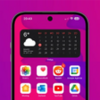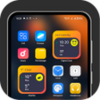
Bring an elegant, customizable iPhone-style home screen and smooth transitions to your device
Bring an elegant, customizable iPhone-style home screen and smooth transitions to your device
Vote (7 votes)
Program license Free
Developer lwsoftipl Apps
Version 22.0
Works under Android
Vote
(7 votes)
Developer
lwsoftipl Apps
Works under
Android
Program license
Free
Version
22.0
Pros
- Highly accurate iOS-style interface with elegant icons and layout
- Wide range of widgets, now including customizable photo widgets
- Rich selection of themes and wallpapers for extensive personalization
- Effective app organization via folders and the App Library
- Responsive performance and smooth animations
- Access to Control Center for quick settings
Cons
- Icon size and dock layout options are limited
- Advanced search (Spotlight) is basic compared to iOS
- Some users may expect broader widget selections
- In-app notifications require additional permissions
Experience an iOS-inspired look and organization while enjoying Android’s flexibility.
Overview
iLauncher - iOS 16 Launcher is a home screen replacement that brings the aesthetic and layout of the latest iOS environment to any Android device. Combining visual finesse with practical features, this launcher aims to deliver both style and usability for users who appreciate Apple’s sleek interface while remaining within the Android ecosystem.
Design and User Interface
The launcher’s central appeal is its faithful recreation of the iOS look. App icons are arranged in a grid, and users can freely move, group, or organize them into folders via intuitive drag-and-drop gestures. The folder design includes rounded corners and subtle blur effects that mirror current iOS devices, creating an elegant display.
While the built-in icon pack provides a familiar visual style, several users have highlighted a need for more customizable icons. The option to resize icons or fit more icons in the dock would greatly benefit users, especially those who find the default icons oversized.
Customization Features
With over 50 themes and more than 70 unique wallpapers, the launcher offers extensive personalization options. Users can switch between different looks or apply third-party icon packs to further tailor their device appearance. This supports a highly individualized experience unmatched by default system launchers.
Widget Support
A major strength of iLauncher is its widget engine. It comes with 150+ widgets, including clocks, calendars, weather, battery, memory, world clocks, and even quotes. Recent updates have introduced photo widgets, a feature many users have requested and now appreciate. Widget backgrounds and colors can be customized, allowing a more cohesive home screen.
However, the absence of certain widgets like dedicated photo galleries in earlier versions was noted, though the developer has shown a pattern of quickly responding to feedback and integrating features based on user requests.
App Organization
The App Library organizes installed apps into categories such as Games, Finance, Social, and others for fast access. For users who prefer alphabetical listings, a quick search option lists all apps for easy navigation. This will be familiar to anyone who has used recent iOS devices, bridging intuitive design with Android systems.
Performance and Responsiveness
Users consistently comment on the launcher’s responsive interface. App launch times, transitions, and animations are smooth with minimal lag observed, even on mid-range devices. The Control Center, accessible by swiping up, places key toggles and quick settings within easy reach without relying on additional software.
Spotlight and Search
While there is a quick search function included, some user feedback suggests a more advanced Spotlight-style search would be a valuable addition—enhancing app and system search capabilities further.
Overall Impression
iLauncher - iOS 16 Launcher stands out for its combination of aesthetics, user-driven updates, and extensive customization options. Although there are areas where the launcher could improve—such as more granular icon sizing, expanded widget support, and advanced search functions—the development team shows dedication to implementing requested features.
Pros
- Highly accurate iOS-style interface with elegant icons and layout
- Wide range of widgets, now including customizable photo widgets
- Rich selection of themes and wallpapers for extensive personalization
- Effective app organization via folders and the App Library
- Responsive performance and smooth animations
- Access to Control Center for quick settings
Cons
- Icon size and dock layout options are limited
- Advanced search (Spotlight) is basic compared to iOS
- Some users may expect broader widget selections
- In-app notifications require additional permissions